
Water Damage Or Software Glitch? How Technicians At Quick Fix Diagnose Tablet Issues
When your tablet stops working properly, it can be challenging to determine whether you’re dealing with a simple issue—such as a failed update—or a more serious problem, like water damage. While the symptoms may seem similar, the cause (and the fix) can be very different. That’s why it’s important to trust trained technicians who can determine the root of the problem quickly and accurately.
At Quick Fix, we specialise in tablet repairs in Townsville for all makes and models. Whether your tablet has stopped charging, keeps crashing, or simply won’t turn on, our job is to find out why—so you don’t have to guess.
Why Tablet Issues Aren’t Always What They Seem
Tablets are complex devices with both physical and digital components, which means one issue can mimic another. That’s why accurate diagnosis is more important than ever. A cracked screen might not be the reason your device is freezing—and a tablet that won’t power on could be caused by a corrupted OS, not a dead battery.
Here are some common scenarios where symptoms are misleading:
- Tablets that shut down suddenly may be suffering from battery issues, overheating, or even malware.
- Freezing and crashing apps could be related to software bugs—or a failing storage chip.
- Unresponsive touchscreens might not be broken at all—they could be reacting to water under the screen or software lag.
At Quick Fix, we identify the real problem before offering solutions, saving you time, stress, and unnecessary repairs.
Common Signs of Water Damage & How We Spot Them
Water damage is one of the most common causes of tablet failure—but it’s not always obvious. A tablet might look perfectly fine on the outside while corrosion is quietly damaging the components inside.
We look for the following clues that point to water exposure:
- Corrosion or discolouration on the charging port or buttons, which suggests liquid ingress.
- Moisture under the screen or camera lens, visible as fog or condensation.
- Liquid contact indicators inside the device, which turn colour when exposed to water.
If your tablet has been near a pool, spilled drink, or bathroom sink, these signs help our technicians confirm whether water is to blame.
When It’s Not Water—Identifying Software-Related Faults
Not all tablet issues are caused by physical damage. Software glitches are just as likely, especially after operating system updates or app installations.
Some signs that the issue is software-based include:
- Frequent app crashes or sudden reboots can indicate firmware corruption or storage issues.
- Freezing on startup or a stuck boot loop is often the result of failed updates.
- Wi-Fi, Bluetooth, or camera features not working, which can stem from system-level software bugs.
For tablet repairs in Townsville, we don’t just look for external clues—we run comprehensive software diagnostics to rule out internal conflicts.
Tools & Techniques We Use to Diagnose Hardware vs Software Issues
At Quick Fix, our technicians use a range of diagnostic tools to distinguish between hardware and software problems. It’s not guesswork—it’s a proven process.
We rely on several tools and techniques, including:
- Moisture detection sensors and inspection scopes are used to check for hidden signs of liquid damage.
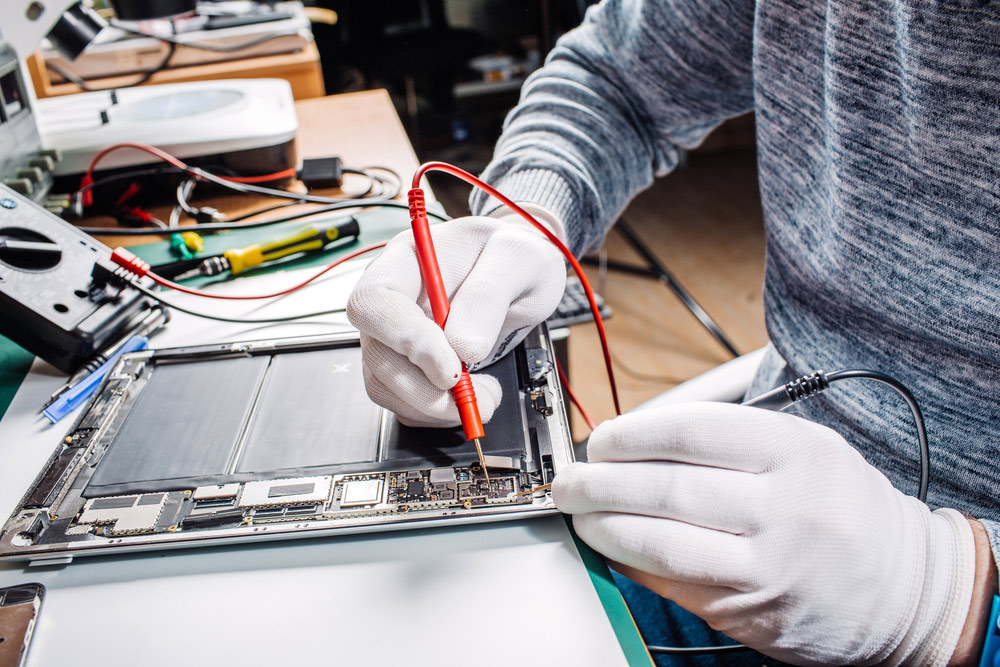
- Multimeters and power delivery testers, which help identify charging issues or logic board faults.
- Specialised diagnostic software, which allows us to test memory, firmware, and app performance.
- Controlled software reinstalls to verify whether the issue persists without third-party interference.
This systematic approach allows us to pinpoint the cause efficiently, ensuring the right repair is performed the first time.
How Tablet Repairs in Townsville Differ Based on the Root Cause
Every tablet repair begins with identifying the fault. From there, the repair strategy depends entirely on whether the issue is software-based, hardware-related, or a combination of both.
The type of repair work typically varies as follows:
- Water-damaged tablets often require internal cleaning or replacement of components, such as the motherboard, battery, or screen connectors.
- Software-related faults may only require a full reset or OS reinstall, with data recovery possible when applicable.
- Physical damage repairs focus on replacing the screen, repairing charging ports, or addressing button issues, depending on the specific type of failure in the device.
Knowing what’s wrong means we don’t waste your time with guesswork or unnecessary costs.
Why You Shouldn’t Wait to Get Your Tablet Assessed
It’s tempting to ignore a glitch or delay getting your tablet checked—especially if it starts working again. But minor issues often become bigger ones if not addressed early.
There are real risks with waiting too long, including:
- Worsening water damage, as corrosion continues to spread even after the device is dried out.
- Battery degradation can cause swelling, reduced performance, or even safety concerns.
- Software issues that corrupt data or lock you out, particularly after repeated failed updates.
Bringing your device in early for tablet repairs in Townsville can prevent small problems from becoming costly or irreversible.
Supporting Parents with School Tablet Repairs in Townsville
Parents know how essential tablets are for learning—and how easily they can be damaged in a school bag or classroom. Whether it’s a cracked screen, a broken charging port, or a software malfunction, we handle school tablet repairs quickly and affordably.
We regularly assist with:
- Screen replacements on student tablets are especially necessary when damage occurs due to drops.
- Charging issues are often caused by bent ports or debris.
- Performance issues, including lagging and app crashes after school software updates.
Our goal is to get your child’s device back in action fast—minimising disruption to learning and avoiding the need for expensive replacements.
What to Expect When You Visit Quick Fix for a Diagnosis
At Quick Fix, we make the diagnosis process simple. You don’t need to book weeks in advance or know exactly what’s wrong. Just bring the device in, and we’ll take care of the rest.
Here’s what the process typically looks like:
- Initial walk-in or appointment check, where you describe what’s happening with the tablet.
- Thorough diagnostic testing, covering both hardware and software.
- Clear explanation of the fault and a repair quote, before any work is started.
- Fast turnaround on most repairs, with updates provided as needed.
When it comes to reliable, local tablet repairs in Townsville, we’re committed to clear communication, quality service, and restoring your device as quickly as possible.
Visit Quick Fix for Expert Tablet Repairs in Townsville
Whether it’s a software glitch, water exposure, or something in between, our team at Quick Fix can help you get to the root of the problem—fast. We specialise in accurate diagnosis and quality tablet repairs in Townsville, so you don’t have to waste time guessing. Contact us to book a repair, or drop in for a no-obligation diagnostic today.

